


Logging In
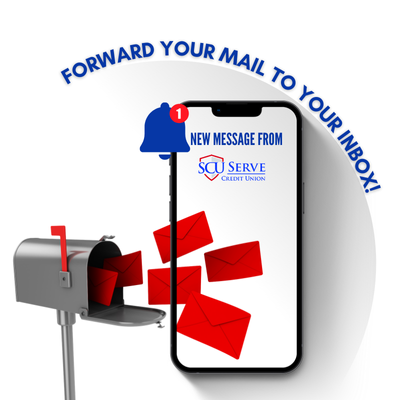
Login to your Online Banking.
Scroll to User Profile and select “@ Email Setting”.
Select your listed email address.
Click on Statements and Notices to begin receiving via email!
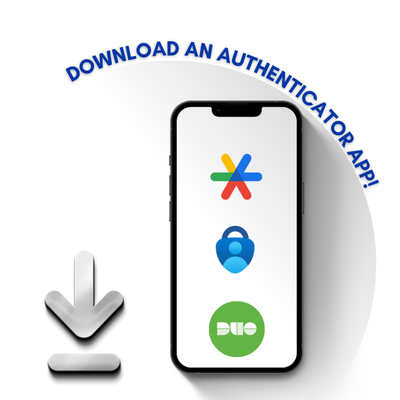
Choose which Authenticator App you would like to download to your Mobile Device.
Login to your Online Banking.
Click “Secure My Account” when prompted.
Further instructions are available here.

Login to your Online Banking.
Select Loan Application under “Services”.
Select Apply next to “Auto/Motorcycle Loan”.
Or apply for any other SCU Loans such as Credit Cards, Home Equities, Student Loans, and more!
Trouble Logging In
Forgot Password?
Click “Forgot Password” in the login box
You will receive an email with a temporary password to create a new password
After so many attempts with an incorrect password, your account will be disabled. Please contact us to request a password reset.
Forgot Username?
For security purposes, your forgotten Username must be provided to you by a Serve Credit Union team.
Please contact us to request your Username.
Forgot Security Questions?
Security Answers are case sensitive
After so many attempts with an incorrect security answer, your account will be disabled. Please text us or use the “Message Us” form at the very bottom of the screen to request account reactivation.
Convenience Tips to Avoid Login Troubles
Device Registration - Register a trusted device such as your phone or home computer and avoid Security Questions
2 Factor Authentication - Get a code by text to avoid Security Questions
Biometrics and Face ID - Download our Serve Credit Union Mobile App and avoid Username, Password, and Security Questions
Authenticator App - Download an Authenticator App for a secure login experience
Logging In for the First Time
| Steps | Information |
|---|---|
| 1. Select "First Time User" in the login box | Click Link |
| 2. Have the following credentials ready | First/Last Name, Member #, SSN, Zip Code, DOB, Email Address |
| 3. Create your login | Username, Password, Security Questions, Face ID, MultiFactor Authentcation |
| 4. Explore! | Bill Pay, Estatements, Transfers (Internal and External), Card Management, Loan Apps, EAlerts, and More! |
Further Troubleshooting
Helpful Tips
Some members find it easier to login for the first time from a desktop environment or from the downloaded Serve Credit Union Mobile Banking App.
Delete previously saved SCU Online bookmarks
Log In with your own personal credentials. If the system is not allowing you to log in, the Credit Union will need to create a profile for you so you can login correctly and securely.
Important
Sharing Usernames and Passwords may give you or others access to view account information that they should not!
If you are sharing your Username or Password, please contact us to set the other users up with their own login credentials